
Platform / Data control
One platform to control how enterprise data moves.
The control plane for enterprise data infrastructure
LyftData collects data from the systems producing it, transforms and governs it before it leaves your control, routes the right version to every destination, and observes what happens end to end.
Illustrative architecture
Sources
- Apps
- Cloud
- Databases
- Security
- Infrastructure
- OT / IoT
LYFTDATA
The control plane
- Collect
- Transform
- Route
- Govern
- Observe
One collection point, one transformation and routing layer, one operational view.
High-value
Security & SIEM
Shaped telemetry
Observability
Full fidelity
Storage & data lake
Governed context
Analytics & AI
Every source category — apps, cloud, databases, security, infrastructure and OT/IoT — converges into one LyftData control layer that collects, transforms, routes, governs and observes the data. From that layer, governed outputs fan out to security and SIEM, observability, storage and a data lake, and analytics and AI. The Server, Workflows, Jobs and Workers underneath are the system that runs it.
Server · Workflows · Jobs · Workers
The platform
One operational surface for the data layer.
Build pipelines, deploy them, operate what's running and investigate what happened — from one place.
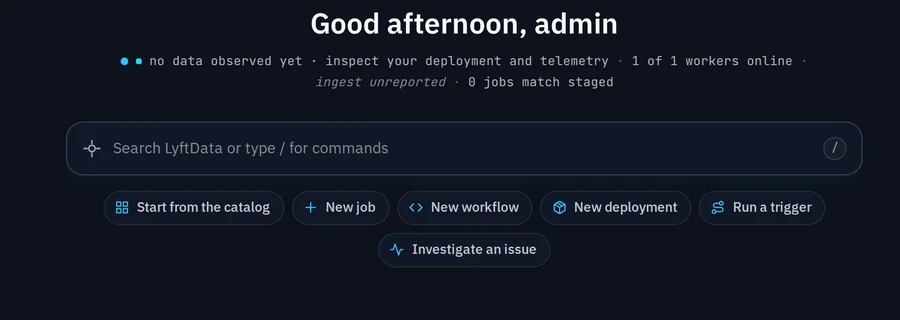
- Build — author jobs, workflows and blueprints
- Deploy — plan a change, then roll it out to Workers
- Operate — watch workloads, Workers and Server health
- Investigate — trace what moved where, and why
Control
Control the data before the destination does.
One connected control flow between every source and every destination — not five separate features, one path you operate.
Illustrative architecture
- Collect
- Transform
- Route
- Govern
- Observe
Bring logs, metrics, traces, events and records into a common data flow.
Filter, parse, normalize, mask and enrich data before downstream systems consume it.
Split and deliver different versions of the same stream to different systems.
Apply handling rules before data leaves the layer you control.
See how the data layer is behaving and investigate what happened.
The five-stage control model as one connected flow: Collect, Transform, Route, Govern and Observe. Collect brings logs, metrics, traces, events and records into a common data flow. Transform filters, parses, normalizes, masks and enriches data before downstream systems consume it. Route splits and delivers different versions of the same stream to different systems. Govern applies handling rules before data leaves the layer you control. Observe shows how the data layer is behaving and lets you investigate what happened.
Policy belongs upstream: transform sensitive fields, apply routing rules and enforce destination policy in the layer you control — before downstream systems receive the data.
How it runs
Central control. Distributed execution.
A workflow describes the intent. LyftData packages a published version and distributes concrete jobs to the Workers that run them — close to the data.
Illustrative architecture
A central Server acts as the control plane. It deploys execution to Workers, which run the Jobs that make up a workflow.
Workflow
the desired intent — a versioned description of what should run and how data should move.
Jobs
the executable units the workflow packages: sources, the actions applied between them, and sinks.
Workers
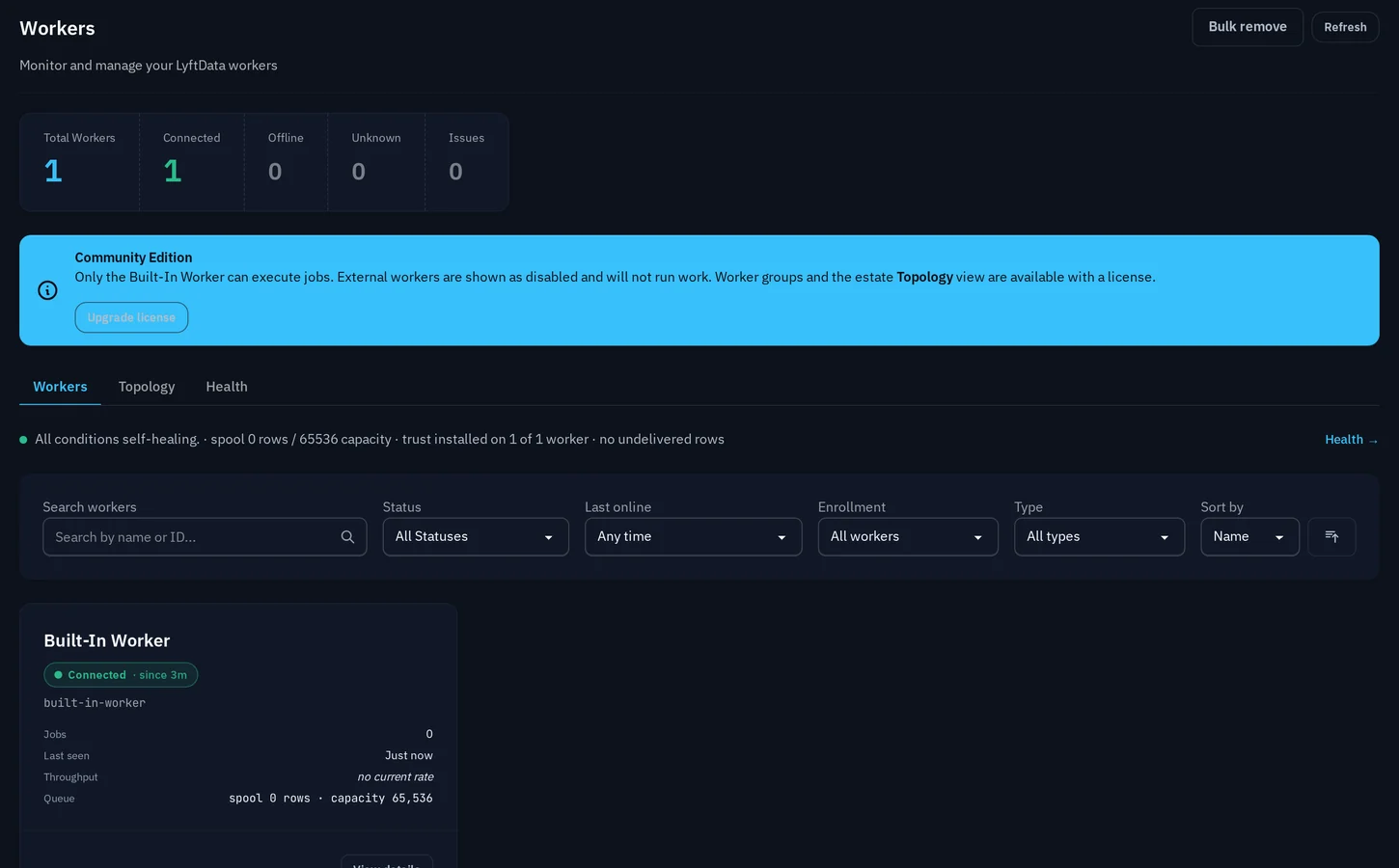
the execution environments that run jobs — one, or many, grouped for placement.
Workloads
the running state: what is actually deployed, and where.
Data flow
From input to destination, every step is explicit.
Every step inside a job is a named, inspectable stage.
Input
where events enter — files, APIs, buckets, streams, events.
Actions
per-event work — filter, parse, normalize, mask, enrich.
Channels
intentional fan-out lanes so one stream can feed several destinations on purpose.
Outputs
where the shaped data lands — each destination gets its own version.
Extensibility
Build from real primitives, not fixed templates.
Inputs, actions and outputs are documented primitives — the same definitions the visual editor offers you. Compose them; you're not limited to a catalog of pre-baked pipelines.
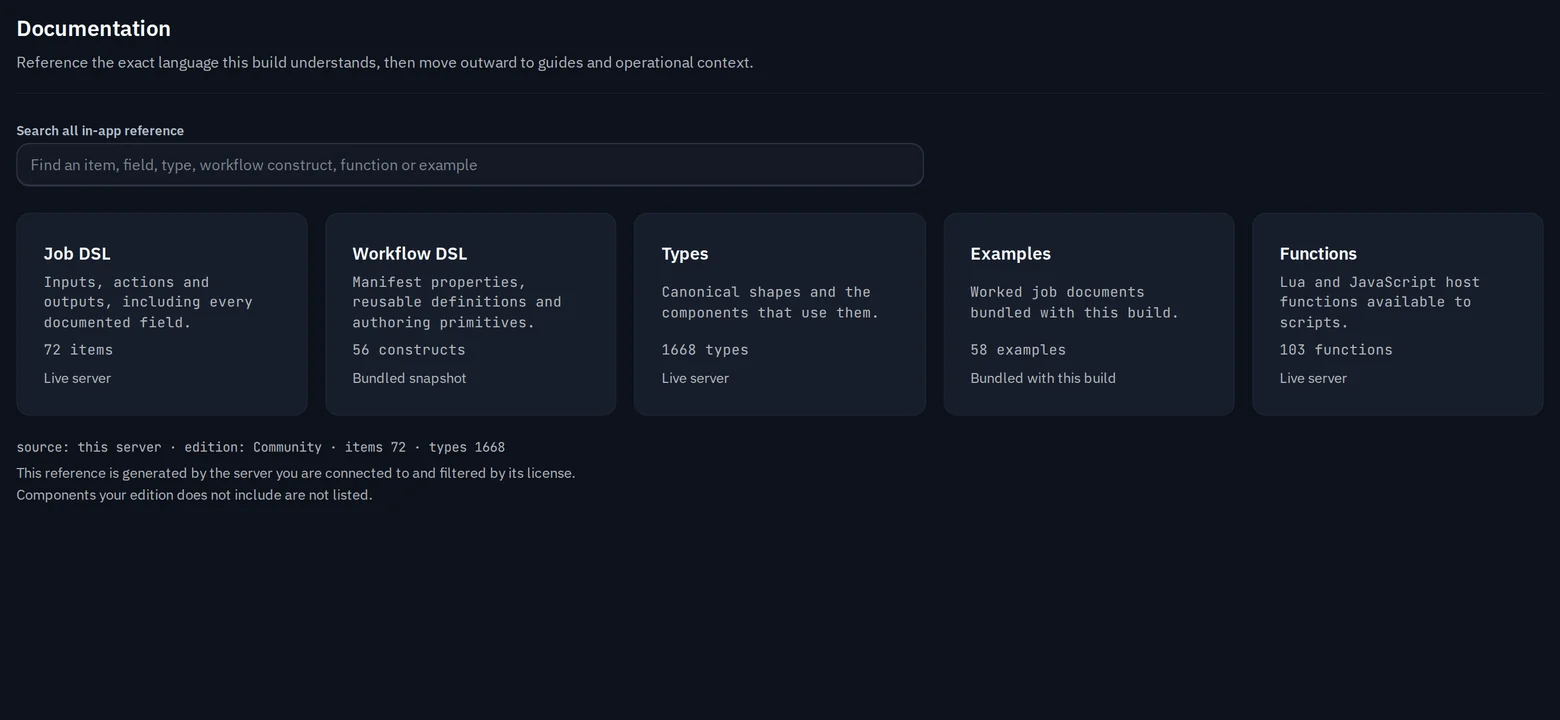
- Inputs
- Actions
- Outputs
Deployment
See the infrastructure moving the data.
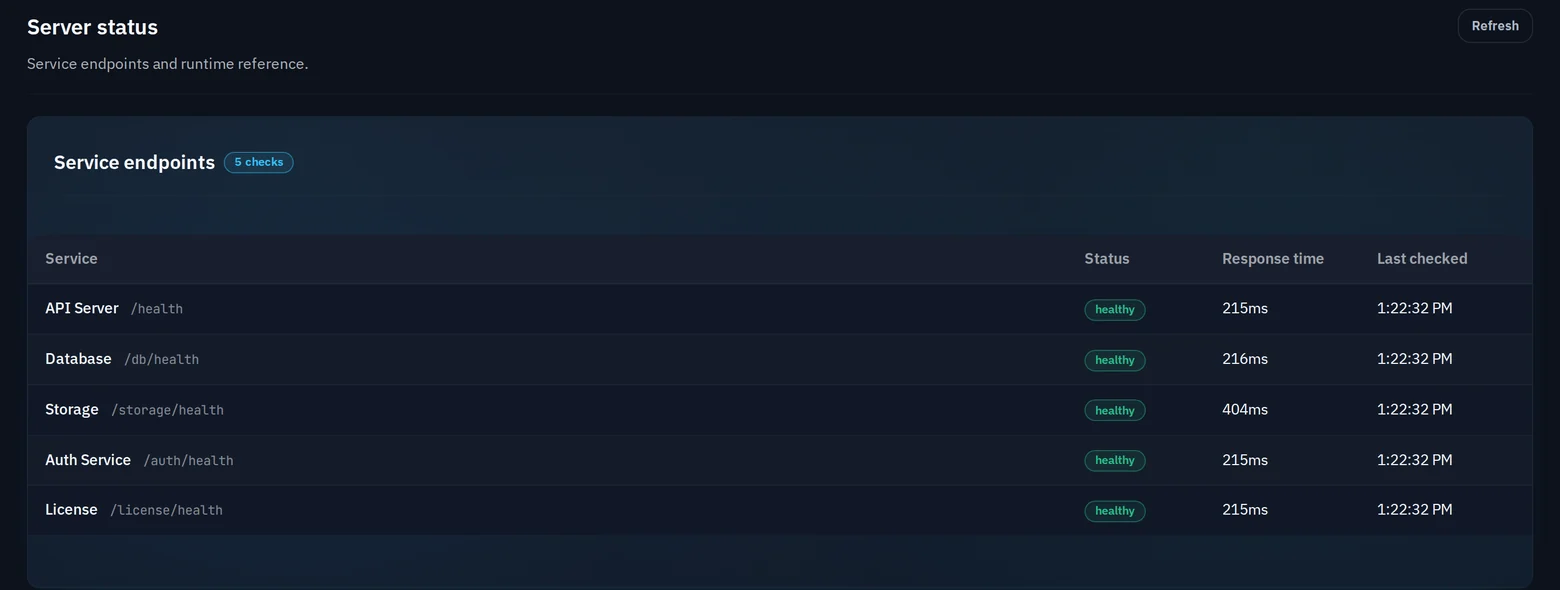
Server Status reports the health of every service endpoint; the Workers view shows what's connected and what it's doing. Keep execution close to the data while control stays central.
LYFTDATA
Server · central control plane
- Workflows
- Policy
- Scheduling
- Visibility
Worker
Cloud
in-region, next to managed services
Worker
Private · VPC
inside your own network boundary
Worker
On-prem
in your data center
Worker
Edge
close to where data is produced
Interfaces
Operate the data layer your way.
Product UI
Build, deploy, operate and investigate from one operational surface.
APIs & definitions
Everything in the UI is backed by an API, so pipelines and deployments can be automated as code.
MCP & Agents
A governed interface that lets authorized agents understand and interact with the data layer.
Integrations
Connect the stack you already have.
Bring data in from the systems producing it and route controlled outputs to the platforms that need it — through purpose-built connectors and standard protocols.
Explore integrations →Illustrative architecture
Sources flow into the LyftData control layer, which routes controlled outputs to destinations.
Build the data layer once.
Start on your own infrastructure, or map your architecture with the team.